
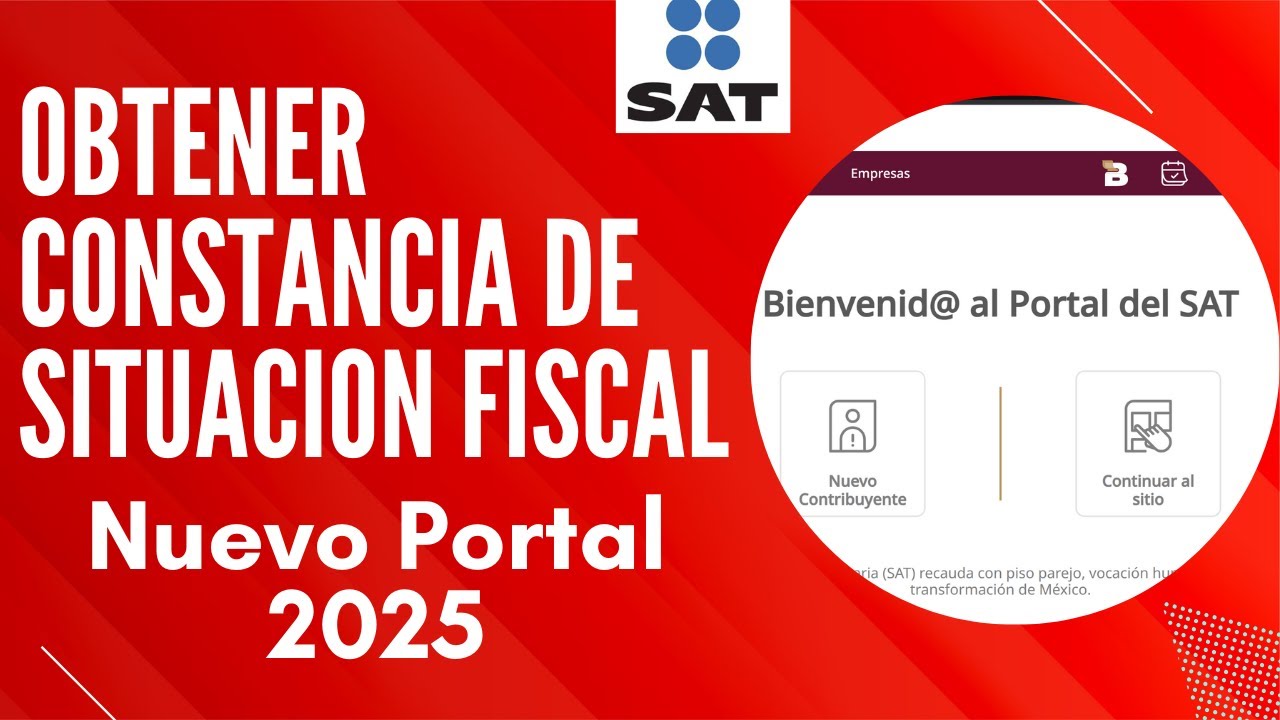
The tax status certificate in Mexico (in Spanish, constancia de situación fiscal) is the key document that shows how a person or company is registered with the Servicio de Administración Tributaria (SAT), Mexico’s tax authority. Employers, banks, and government offices in Mexico ask for it all the time, so it is very useful to keep it ready and updated.
This guide explains in simple English:
- What the tax status certificate in Mexico is
- What information it contains
- All official ways to check and download it
- Common problems and clear answers to the most asked questions
What is the tax status certificate in Mexico?
The tax status certificate, also known as constancia de situación fiscal in Mexico, is an official PDF issued by the SAT. It confirms:
- That you are registered in the RFC (Registro Federal de Contribuyentes)
- Your tax address (domicilio fiscal)
- Your tax regime (régimen fiscal)
- Your current status in the RFC (active, suspended, etc.)
You will often hear it called:
- Constancia de situación fiscal
- Constancia de RFC
- Constancia fiscal
- Tax status certificate in Mexico
When do people need the tax status certificate?
In Mexico, this document is usually requested for:
- New jobs and payroll (your employer needs it to register your payroll CFDI)
- Opening bank accounts or getting credit cards
- Signing contracts with clients and issuing electronic invoices (CFDI)
- Notary processes, property purchases or official contracts
- Various government and administrative procedures
The certificate is free of charge for both individuals and companies.
What information appears in the Mexican tax status certificate?
The tax status certificate is more than just your RFC. It is like a snapshot of your tax profile inside SAT’s system.
| Field on the certificate | Simple explanation |
| Full name / Company name | Your legal name or company name registered with SAT |
| RFC with homoclave | Your unique taxpayer ID (13 characters for individuals) |
| CURP (for individuals) | Your population ID key linked to your RFC |
| Tax address (domicilio fiscal) | Street, number, neighborhood, ZIP code, municipality, state |
| Tax regime(s) | Type of taxpayer: salary, business activity, leasing, etc. |
| RFC status | Shows if your RFC is active or has any special situation |
| Date of registration in the RFC | When you were first registered as a taxpayer |
| Economic activity | Main activity you declared (for example: professional services, retail, etc.) |
| QR code | Code that allows anyone to verify the certificate online |
For banks, employers and big clients, this PDF is an easy way to confirm your tax identity in Mexico.
Tax status certificate vs other tax documents in Mexico
People in Mexico often confuse the tax status certificate with other SAT documents. They are not the same:
- Simple RFC certificate (constancia simple de RFC)
- Only shows your RFC and basic data
- Does not show full regime or complete address
- Tax compliance opinion (opinión de cumplimiento)
- Shows if you are up to date with your tax obligations
- Does not replace the tax status certificate
- Infonavit tax situation certificate
- Related to social housing contributions for workers and employers
- Issued by Infonavit, not by SAT
For jobs, banks and invoicing in Mexico, what they normally ask for is the SAT tax status certificate (constancia de situación fiscal).
Requirements to check and download your tax status certificate
The exact requirements depend on the method you use, but usually you will need:
- RFC with homoclave
- SAT password (Contraseña, formerly called CIEC)
- Or e.firma (electronic signature with .cer and .key files + password), especially for companies
- Email address and mobile phone, especially if you use SAT ID
- Official ID (INE, passport, professional ID card, etc.) if using virtual office, chat, or going in person
Keeping your email and mobile phone updated in SAT helps with notifications through your Buzón Tributario.
All official ways to get your tax status certificate in Mexico
Here is a quick comparison of every official channel to get your constancia de situación fiscal.
Overview of methods
| Method | Device | What you need | How you receive it |
| SAT online portal | Computer / mobile | RFC + password or e.firma | Instant PDF download |
| SAT Móvil app | Android / iOS phone | RFC + password | View / save / share PDF |
| SAT ID | Computer / mobile | RFC, email, phone, official ID | Email after a few days |
| Virtual office (video call) | Computer / mobile | Appointment + digital ID | Download link or email |
| One‑to‑one SAT chat | Computer | RFC + personal data | Download link in chat |
| SAT local office (in person) | In person | Appointment + official ID | Printed or digital copy |
Below you can see how each method works in simple steps.
1. Get your tax status certificate from the SAT online portal
This is the most used method in Mexico for both workers and companies.
Step‑by‑step:
- Go to sat.gob.mx in your browser.
- Open the “Trámites” section or “Otros trámites y servicios”.
- Look for “Constancia de situación fiscal con CIF” or “Genera tu Constancia de Situación Fiscal”.
- Click on “Iniciar”.
- Log in with:
- Your RFC + SAT password, or
- Your e.firma (often required for legal entities)
- Inside the system, choose “Generar constancia”.
- A new window will open with your certificate; you can download the PDF, save it, or print it.
Why is this method convenient?
- It is fast (just a few minutes).
- You can print as many copies as needed or send it by email.
- Works for both individuals and companies.
2. Use the SAT Móvil app to download the certificate
SAT Móvil is the official mobile app from SAT. It allows you to carry your tax status certificate on your phone.
How it works:
- Download SAT Móvil from Google Play or the App Store.
- Log in with your RFC and SAT password.
- Go to the “Mi RFC” section in the menu.
- Select “Constancia de situación fiscal” or “Constancia con CIF”.
- The app will show your certificate and let you save or share the PDF.
This method is ideal if you want to:
- Send the document quickly via WhatsApp or email
- Avoid using a computer and do everything from your phone
3. Request your certificate using SAT ID (without password or e.firma)
If you do not remember your SAT password or you do not have your e.firma ready, you can use SAT ID, a remote identity verification system.
Basic steps:
- Open the SAT ID website from your browser.
- Enter your RFC, email and mobile phone number.
- Upload a photo or scan of your official ID.
- Record a short video where you follow SAT instructions to confirm that you are the real person.
- Sign the request digitally.
- Within about 5 working days, SAT sends you an email with the response and/or access to continue the process and download your certificate.
SAT ID is very useful if:
- You cannot visit an office
- You first need to recover your password, and then go to the portal to get your tax status certificate
4. Use the SAT Virtual Office (video call)
SAT also offers “Oficina Virtual” (virtual office), where an advisor meets you in a video call and helps you get your tax status certificate.
General process:
- Book an appointment in the SAT online appointment system (citas.sat.gob.mx), choosing the service related to “Constancias (Oficina virtual)”.
- Upload a digital copy of your official ID before the appointment or send it to the email indicated by SAT.
- On the scheduled date and time, join the video call link sent to your email.
- The SAT advisor verifies your identity and generates the tax status certificate with CIF for you.
- At the end, they send you a download link or email the PDF.
This method is great if you have trouble logging in or you want live support.
5. Ask for the certificate through the one‑to‑one SAT chat
SAT has a “Chat uno a uno” system, where an advisor can help you generate your tax status certificate online.
How to use it:
- Go to chat.sat.gob.mx.
- Choose a topic related to “Cédula de Identificación Fiscal / Constancia de situación fiscal”.
- Fill in the form with your tax and personal information.
- Confirm that your information is correct and resolve the security captcha.
- The system generates a ticket number and connects you with an advisor.
- If your data is valid, the advisor will send you a download link for your tax status certificate with CIF.
This option is good if you prefer chat instead of phone or video and still want official SAT help.
6. Get your tax status certificate at a SAT office (in person)
If you prefer face‑to‑face service in Mexico, you can visit a local SAT office and request your tax status certificate directly.
Typical steps:
- Schedule an appointment in the SAT online appointment system, selecting the right service for constancias.
- Go to the office on the date and time booked, with your official ID and, if needed, company documents if you are a legal representative.
- Ask for your “Constancia de situación fiscal con CIF”.
- The SAT staff verifies your data and gives you the certificate printed or in digital format.
This option is useful if:
- You have no digital access
- You prefer personal attention or have complex questions about your registration
7. Tax situation certificate with Infonavit (for employers)
Employers in Mexico who pay Infonavit contributions for their workers can also obtain a tax situation certificate from Infonavit.
Key points:
- If there is no Employer Registration Number (NRP) linked to your RFC, you can request the certificate with your RFC in the public Infonavit portal and it will show “no records”.
- If your RFC is already associated with an NRP, you must use the Infonavit Business Portal (Portal Empresarial) to download it.
Remember: this Infonavit tax situation certificate is separate from the SAT tax status certificate, but many Mexican companies need both to prove they are in good standing.
How to verify your RFC and tax information before or after downloading the certificate
It is smart to check that your RFC and address are correct in the SAT system.
Check if you are registered in the RFC
On SAT’s website there is a “Validación del RFC” section, where you can:
- Look up your RFC using your CURP
- Validate one or more RFCs (up to 5,000 at once)
- Confirm whether a person is correctly registered in the RFC
Review your full tax information
In addition to the certificate, SAT offers a service called “Consulta tu información fiscal”, where you can see:
- Identification data
- Tax address
- Establishments or branches
- Tax characteristics and complementary information
This helps you detect issues with your address, tax regime or economic activity, so you can correct them with an update procedure.
Best practices to keep your Mexican tax status in good shape
- Download and save your tax status certificate in a secure folder (computer and cloud).
- Check that your ZIP code, neighborhood and regime are correct, especially if you receive payroll CFDI.
- If you change your address or economic activity, process a RFC update with SAT.
- Keep your email and mobile phone updated to receive messages in your Buzón Tributario.
- From time to time, use “Consulta tu información fiscal” and download a new certificate when your employer, bank or client requests it.
Frequently asked questions about the tax status certificate in Mexico
1. Does the tax status certificate have any cost?
No. The tax status certificate in Mexico is 100% free in all official SAT channels: online portal, SAT Móvil app, SAT ID, chat, virtual office and local offices.
2. How often should I renew my tax status certificate?
The law does not assign a fixed expiration date. However, employers, banks and public entities often ask for a recent certificate (for example, less than 30–90 days old).
To be safe, download a fresh PDF each time someone requests it or when there is a change in your address or tax regime.
3. What if the information on my certificate is wrong?
If you find mistakes in:
- Your name or company name
- Your tax address
- Your tax regime or obligations
you must request a RFC update at SAT.
Some updates are available online, while others require an in‑person visit, depending on the type of change you need.
4. Can I get the certificate if I forgot my RFC?
Yes, but in two steps:
- First, recover or look up your RFC:
- On the SAT website, use the “Validación del RFC” or similar tool to check your RFC using your CURP.
- When you know your RFC, log into the SAT portal or SAT Móvil and generate your tax status certificate.
5. Is the tax status certificate the same as the tax compliance opinion?
No, they are different:
- The tax status certificate (constancia de situación fiscal) shows your basic registration data: RFC, address, regime, status.
- The tax compliance opinion (opinión de cumplimiento) states whether you are up to date with your tax obligations (returns, payments, etc.).
Many government procedures and bids in Mexico may ask for both documents.
6. Can I download the certificate for another person?
No, not without their authorization. For privacy and security reasons, SAT requires identity verification through password, e.firma or official ID.
If an employer needs a worker’s certificate, the normal process is that the worker downloads it and sends it to the company.
7. Is the SAT tax status certificate valid for Infonavit and banks?
Yes, in many cases:
- Banks in Mexico usually require the tax status certificate to confirm your RFC and identity before opening accounts or giving credit.
- Infonavit may use it along with its own records; besides that, employers also have their Infonavit tax situation certificate for contribution checks.
Still, each institution can set extra requirements or other formats.
8. In what format do I receive the tax status certificate?
The tax status certificate from SAT is a PDF file. It shows your main tax details, RFC, regime, address and includes a QR code that allows quick online validation.
Conclusion
With this guide, you now understand what the tax status certificate in Mexico is, what information it contains, and all the official methods you can use to check your status and download the document. Keeping your data updated and your certificate ready will make work, banking and many other procedures in Mexico faster and easier.
